AI Fundamentals
Token
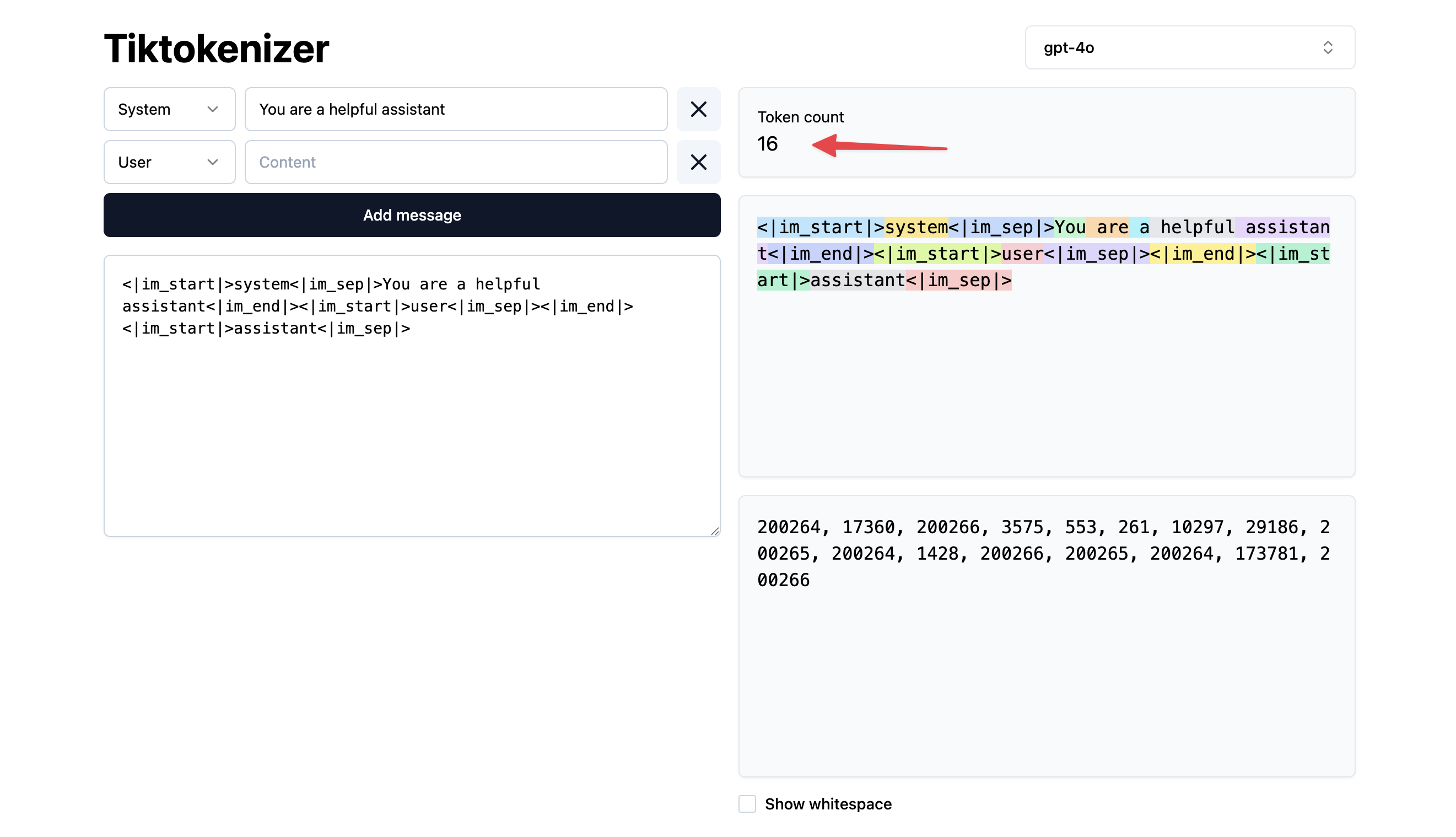
Tokens are numbers that represent how LLM thinks about the text
The tokenizer splits text into tokens it recognizes
These tokers are converted into numbers
https://tiktokenizer.vercel.app/
📚 Resources
Context Window
Context Window is the limit of the number of tokens a LLM can see at any one time.
The context window is made up of input and output tokens. Different models have different sizes of context windows, which make them better at different things
Lost in the Middle problem
If we imagine a huge conversation, where these rings are the individual messages, the messages at the start of the history have quite a big impact on the output, and the ones at the end do too, but the stuff in the middle the LLM pays a bit less attention to.
📚 Resources
Prompt Caching
Model providers actually cache some of the requests for you so we pay less on repeat requests.
Example
firstPrompt: `The quick brown fox jumps over the lazy dog`
secondPrompt: `The quick brown fox jumps over the lazy dog. What a brilliant story.`

// Cached "The quick brown fox jumps over the lazy dog"

firstPrompt: `The quick brown fox jumps over the lazy dog`
secondPrompt: `The fast brown fox jumps over the lazy dog`

// Cached: "The"
// Uncached: " fast brown fox jumps over the lazy dog. What a brilliant story."
This is important as we often send the chat history to the LLM. And the LLM will cache the previous user’s conversation.
Cached input tokens and normal input tokens get billed at different rates. We should check out your model provider to see how caching works there