AWS Services Overview

This article covers key AWS concepts and provides a high-level overview of its services.
Core concepts
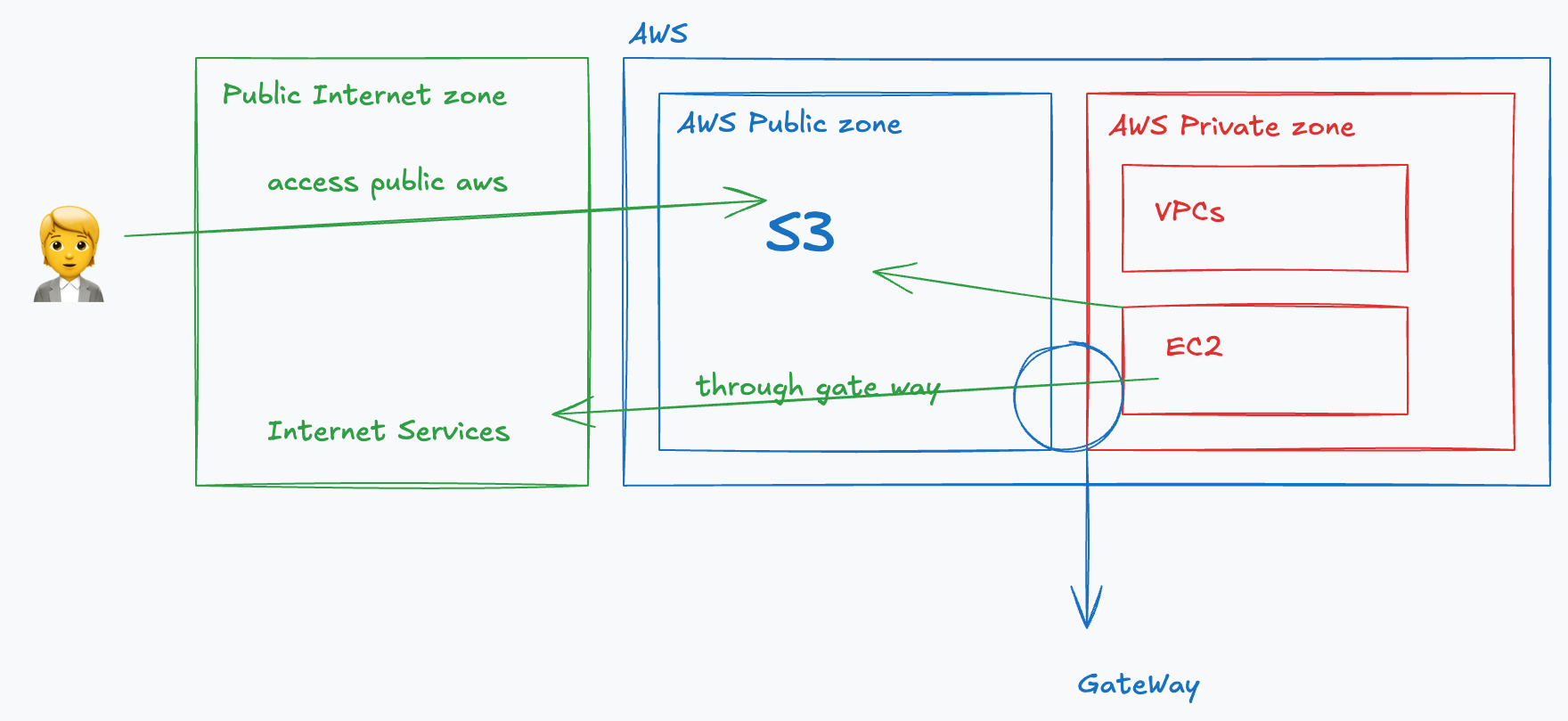
Public vs Private Service
AWS Services can be divided into public and private services. It refers to the networking (network exposure)
Global Infrastructure
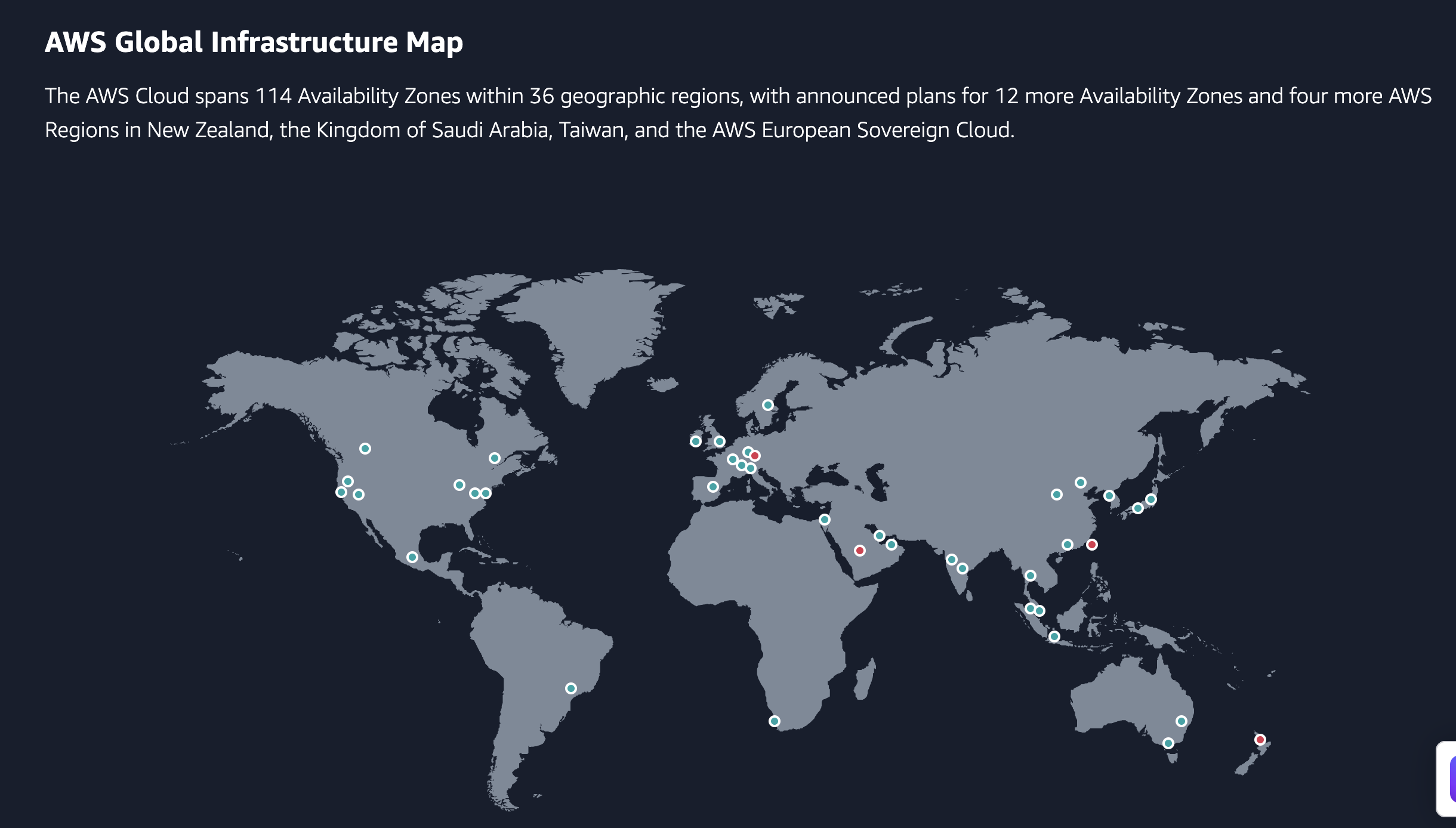
https://aws.amazon.com/about-aws/global-infrastructure/
Region
An AWS Region is a geographically distinct area that contains multiple Availability Zones (AZs). Each Region is a full deployment of AWS infrastructure (Full Compute, Storage, DB, AI, Analytics, …). Thus, it operates independently and is designed for fault tolerance.
Geographic Separation - Isolated Fault
Geopolitical Separation - Different governance
Location Control - Performance
Examples: us-east-1 (N. Virginia), eu-west-1 (Ireland), ap-southeast-1 (Singapore).
Availability Zone (AZ)
An Availability Zone is a logical data center within a Region that consists of one or more physical data centers. Each AZ is isolated but connected to others within the same Region via low-latency networking.
Example: us-east-1a, us-east-1b, us-east-1c, … are AZs in the us-east-1 region
Edge Location
An Edge Location is a global content delivery endpoint that AWS uses for caching and accelerating content delivery - Local distribution points.
Resilience Levels
Globally Resilient - the system operates across multiple AWS regions, ensuring continued functionality even if an entire region fails (e.g: Route 53)
Region Resilient - the system is designed to survive failures within a single AWS Region by utilizing multiple Availability Zones (AZs).
AZ Resilient - the system can tolerate failures within a single Availability Zone, but not across multiple AZs or regions.
High availability vs Fault Tolerance vs Disaster Recovery
High availability - minimizes outages by ensuring rapid recovery
- example: a standby server is ready to take over if the main server fails.
Fault Tolerance - ensures the system continues operating even when components fail, requiring more effort than HA.
- example: in addition to minimizing outages (HA), traffic is automatically rerouted to a functional instance if one fails.
Disaster Recovery - a last-resort strategy when HA and Fault Tolerance fail, involving policies, tools, and procedures to restore critical infrastructure and systems.
Shared Responsibility
https://aws.amazon.com/compliance/shared-responsibility-model/
AWS responsibility “Security of the Cloud”
Customer responsibility “Security in the Cloud”
Services
Virtual Private Cloud (VPC)
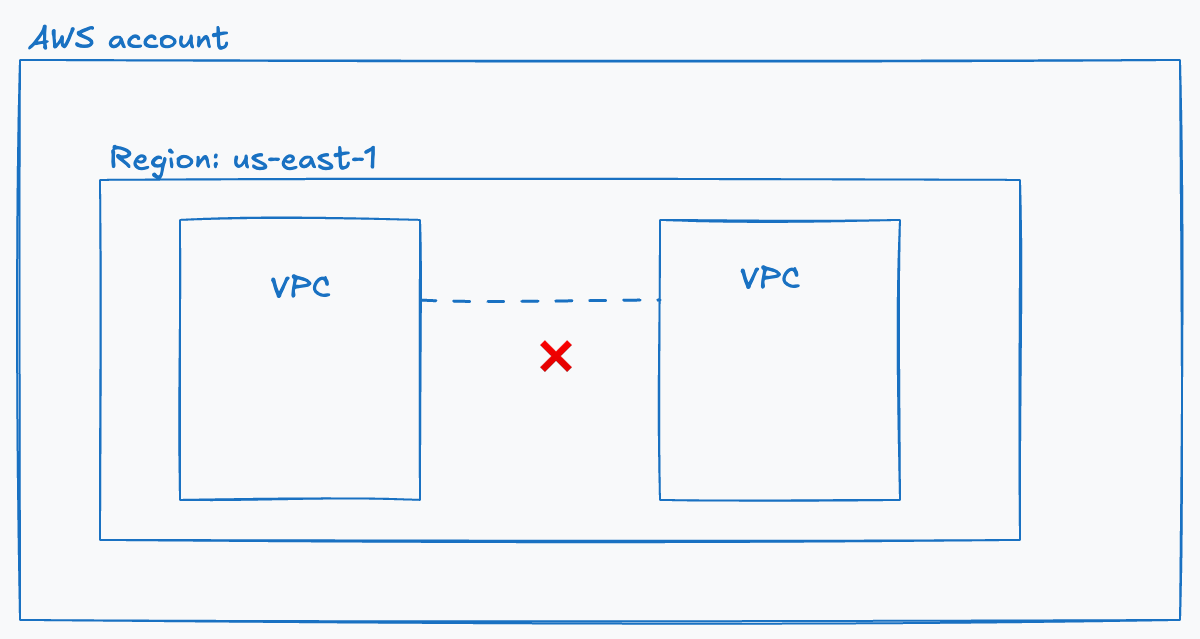
VPC is a virtual network inside AWS
It operates within 1 account and 1 region
Region resilient
2 types: Default VPC (only 1) and Custom VPCs
Default VPC comes with public subnets in each AZ
Internet Gateway (IGW) and a default Security Group (SG)
Default VPC CIDR
always 172.31.0.0/16
uses /20 subnets in each AZ by default
By default, VPCs cannot communicate to each other unless we configure it.
It’s not recommended to use the default VPC. We should create a custom one!
Elastic Compute Cloud (EC2)
EC2 is AWS’implement of IAAS - Infrastructure as a service.
It allows us to provision virtual machines known as instances with selected resources and an operating system of your choice.
Private service by default - uses VPC networking
AZ resilient - Instance fails if AZ fails
On-demand billing - charge per second
Instance Lifecycle
Running => Fully charged for Networking, Database, RAM, and CPU.
Stopped => Charged only for Database (Networking, RAM, and CPU are inactive).
Terminated => No charges incurred. Once we terminate the instance, there is no way to revert this action.
Amazon Machine Image (AMI)
An AMI is a pre-configured template that includes
OS (Linux, Windows, etc)
Software and packages
Configuration and permissions
From an AMI, we can create an EC2 instance. And also, we can create an AMI from an EC2
Connecting to EC2
There are several ways to connect to an EC2 instance. Typically, AWS provides a private key only once, which we use to SSH into the instance.
Storage Service (S3)
Amazon S3 is a global service and serves as the default storage solution in AWS. It consists of two main components: Buckets and Objects.
Bucket
Must be created in a specific AWS Region.
Globally unique name across all AWS accounts and regions.
It can store an unlimited number of objects in a flat structure (there is no true folder hierarchy; folders are just prefixes).
AWS allows 100 buckets per account (soft limit), expandable up to 1,000 (hard limit)—so designing a bucket per user is not recommended.
Object
Key – Functions like a filename.
Value – The actual content stored (from 0 bytes to 5 TB).
Yes, we can store a very large file in S3!
CloudFormation (CFN)
CloudFormation is an Infrastructure as Code (IaC) product in AWS, which allows automation of infrastructure creation, update and deletion.
Templates created in YAML or JSON can be used to automate infrastructure operations. A template is used to create a Stack
Lifecycle of a Stack
Create Stack → Deploy the template.
Update Stack → Modify and redeploy the template.
Delete Stack → Remove all resources created by the stack.
Cloud Watch (CW)
CloudWatch is a monitoring and observability service within AWS, which provides metric, log and event management services. It helps track performance, detect anomalies,s and automate response to operational issues.
Key components
CloudWatch Metrics: collection of data (CPU Usage, Network IO, Disk IO, etc)
CloudWatch Logs: aggregates and stores logs from AWS services
CloudWatch Alarms: triggers notifications when a metric crosses a threshold
CloudWatch Event: detects changes in AWS resources and triggers an automated response
CloudWatch Dashboard: custom visualizations of metrics and logs
Namespace
A namespace is a logical container for group metrics. All AWS data goes into an AWS namespace (AWS/service-name). example: AWS/EC2, AWS/S3, etc
Dimensions
Dimensions separate datapoints for different things or perspectives within the same metric
Example: CPU metrics can be collected from different services. If we want to focus on the CPU usage of a specific service, we use dimensions to filter and view the metric for that particular service.
Route53
AWS Route 53 is a scalable DNS and domain registration service that routes traffic to resources based on various routing policies and health checks.
DNS Record Types
A (IPv4), AAAA (IPv6): Maps a host (domain) to an IPv4 or IPv6 address.
CNAME (Canonical Name): Maps a host to another host (e.g.,
www.example.comtoexample.com).- CNAME cannot point directly to an IP address; it must point to another hostname.
MX (Mail Exchange): Directs email traffic to a mail server for a domain, used for SMTP routing.
TXT (Text): Allows arbitrary text, often used for verification purposes, domain ownership, or SPF/DKIM records.
TTL (Time to Live): Specifies how long the record is cached by resolvers.
A higher TTL means the record is cached longer, but harder to update immediately.
If you plan to change records, lower the TTL beforehand to speed up propagation.